Introduction: Why the Best Group Photo Sharing App Matters Now More Than Ever
In 2025, our lives are more connected than ever. We capture countless memories with friends, family, and colleagues. From birthday parties and weddings to vacations and everyday moments, photos are central to how we remember and share experiences. However, getting everyone’s photos into one central, easily accessible place can be a real challenge. This is where finding the best group photo sharing app becomes essential.
Gone are the days of emailing large attachments or endlessly scrolling through chat histories. A dedicated group photo sharing app simplifies the process. It ensures everyone can contribute, view, and enjoy shared memories seamlessly. This guide will help you navigate the options and choose the perfect solution for your group.
Understanding Your Needs: What Makes a Group Photo Sharing App ‘The Best’?
Before diving into specific apps, consider what ‘best’ means for your unique situation. Different groups have different priorities. A family sharing everyday moments might prioritize unlimited storage and ease of use. A wedding party might need robust privacy controls and event-specific albums. Understanding these needs is the first step to finding the best group photo sharing app.
Key Features to Look For in the Best Group Photo Sharing App
When evaluating potential apps, several features stand out. These functionalities directly impact how smoothly your group can share and enjoy photos. Prioritize these aspects to ensure a positive user experience for everyone involved.
- Ease of Use: The app should be intuitive for all users, regardless of tech savviness. Simple uploading, viewing, and commenting are crucial.
- Storage Capacity: Do you need unlimited storage? Or is a generous free tier sufficient? Consider how many photos your group will share.
- Privacy Controls: Who can see the photos? Can you control who joins an album? Robust privacy settings are vital for sensitive content.
- Organization Tools: Look for features like album creation, tagging, and search capabilities. This helps manage large collections.
- Download Options: Can users easily download high-resolution versions of photos? This is important for printing or personal backups.
- Cross-Platform Compatibility: The best group photo sharing app works on both iOS and Android. This ensures everyone can participate.
- Offline Access: Some apps allow you to view photos even without an internet connection. This is a handy feature for travelers.
- Commenting and Reactions: Interactive features foster engagement and allow for shared enjoyment of memories.
- Video Support: Many groups share videos as well as photos. Ensure the app handles video uploads and playback smoothly.
Top Contenders for the Best Group Photo Sharing App in 2025
Now, let’s explore some of the leading platforms. Each offers a unique set of advantages. We will delve into their specific features and ideal use cases. This will help you decide which one truly is the best group photo sharing app for you.
1. Google Photos: The Ubiquitous Choice
Google Photos remains a powerhouse in the photo sharing world. It offers excellent organization and powerful search capabilities. Its AI-driven features can automatically group faces, locations, and objects. This makes finding specific memories incredibly easy.
For group sharing, Google Photos allows you to create shared albums. You can invite others via a link or directly through their Google accounts. Contributors can add their own photos and videos to the album. This creates a collaborative space for everyone’s content. While it no longer offers unlimited free storage for high-quality photos, its integration with the Google ecosystem makes it a convenient choice for many.

- Pros: Deep integration with Android and Google services, powerful AI search, automatic backups, easy sharing via links, collaborative albums.
- Cons: Free storage is limited (15GB shared across Google services), privacy concerns for some users, requires a Google account.
2. Apple Photos (Shared Albums): For the Apple Ecosystem
If your group primarily uses Apple devices, Apple Photos with its Shared Albums feature is a strong contender. It’s built directly into the iOS and macOS experience. This provides a very smooth and native user interface. Shared Albums allow you to invite friends and family to view, like, and comment on photos and videos.
One significant advantage is that photos in Shared Albums do not count against your iCloud storage. This offers a practical solution for sharing many memories. However, photos are optimized for sharing, meaning they might not be stored at their absolute original resolution. It’s an excellent choice for casual sharing among Apple users. It might even be the best group photo sharing app for an all-Apple household.
- Pros: Seamless integration with Apple devices, doesn’t use iCloud storage for shared albums, easy to use for Apple users, private sharing.
- Cons: Primarily for Apple users (though web access is available for others), photos are optimized/reduced in resolution, fewer advanced features than some dedicated apps.
3. WhatsApp: Quick and Convenient Sharing
WhatsApp is not a dedicated photo sharing app, but its widespread use makes it a de facto choice for many groups. You can quickly share photos and videos within individual or group chats. It’s incredibly convenient for immediate sharing and discussion. Almost everyone you know likely uses WhatsApp, making it very accessible.
However, there are significant drawbacks. Photos and videos are often compressed when sent via WhatsApp. This reduces their quality. They are also embedded within chat threads, making them difficult to organize or retrieve later. While great for instant gratification, it’s not the best group photo sharing app for long-term storage or high-quality archives. For more comprehensive solutions, you might want to explore 5 top options for sharing photos with a group.
- Pros: Extremely popular and widely used, instant sharing, end-to-end encryption for security.
- Cons: Photo/video compression reduces quality, poor organization for shared media, not designed for long-term photo storage or album creation.
4. GuestCam: Event-Focused Sharing
GuestCam is specifically designed for event photo sharing. Imagine a wedding, a corporate event, or a large family reunion. GuestCam allows guests to upload their photos to a single, shared album. The event host maintains control over the album. This ensures all the precious moments from different perspectives are captured in one place.
It simplifies the process of collecting photos from multiple contributors. No more chasing down individual guests for their pictures. GuestCam focuses on a streamlined, event-centric experience. This makes it a strong contender for the best group photo sharing app when specific occasions are involved. It offers a unique solution compared to general-purpose apps.
- Pros: Excellent for event-specific photo collection, easy for guests to upload, host retains control, no need for guests to create accounts.
- Cons: Primarily event-focused, less suitable for ongoing, everyday family sharing, may have costs associated with events.
5. FamilyAlbum: The Best Group Photo Sharing App for Families
FamilyAlbum is tailor-made for families. It provides a private space to share photos and videos of children and family life. It offers unlimited storage, which is a huge benefit for growing families. You can invite family members to contribute and view content. This creates a digital scrapbook of memories.
The app emphasizes privacy, allowing you to control who sees your content. It also offers features like monthly photo books and 1-second video clips. This helps you cherish those precious moments. If you’re looking for the best group photo sharing app specifically for family, FamilyAlbum on Google Play and FamilyAlbum on the App Store are highly rated options. They provide a safe and organized way to share your family’s journey.
- Pros: Unlimited storage for families, private and secure, easy to use, offers features like monthly photo books, great for grandparents and extended family.
- Cons: Primarily focused on family sharing, may not be ideal for other types of groups, some premium features require a subscription.
6. Other Niche Apps and Considerations
Beyond these major players, the market offers various niche solutions. Some apps focus on specific editing capabilities. Others cater to professional photographers. For instance, platforms like Canva and PicsArt are excellent for editing. They allow you to enhance photos before sharing. VSCO is another strong choice for those who love filters and advanced editing features. These apps might not be the best group photo sharing app directly, but they complement the sharing process.
Consider your group’s specific needs. Do you need a simple upload-and-view solution? Or do you require more robust features? This includes advanced organization or even integrated editing tools. The choice often comes down to a balance of functionality, cost, and user experience for everyone involved.
Deep Dive: Comparing the Best Group Photo Sharing Apps
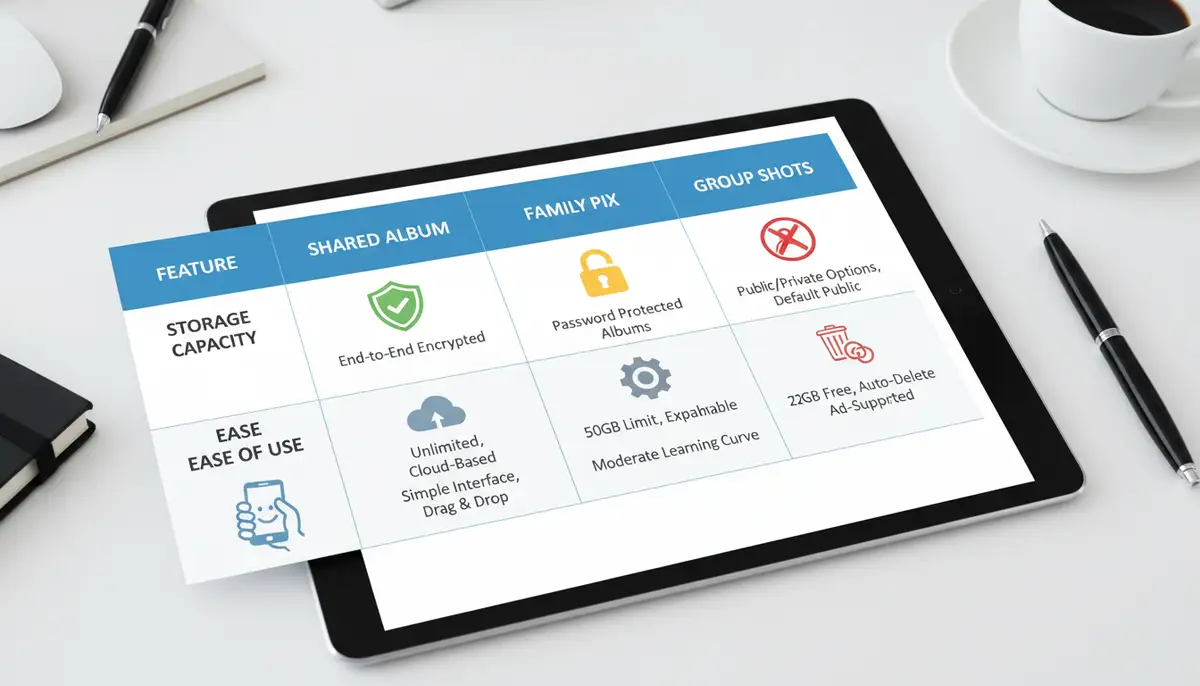
To help you make an informed decision, here’s a quick comparison of some key aspects. This table highlights how different apps stack up against each other. It focuses on features most relevant to group sharing. This comparison should clarify which is the best group photo sharing app for your specific scenario.
| Feature/App | Google Photos | Apple Shared Albums | FamilyAlbum | GuestCam | |
|---|---|---|---|---|---|
| Primary Use | General, AI-driven | Apple Ecosystem | Instant Messaging | Family Memories | Event-Specific |
| Free Storage | 15GB (shared) | Unlimited (optimized) | Chat-based, compressed | Unlimited | Event-based |
| Privacy Control | Good (album-level) | Good (invite-only) | Chat privacy | Excellent (family-focused) | Host-controlled |
| Ease of Use | High | High (Apple users) | Very High | High | High (event guests) |
| Cross-Platform | Yes (web, Android, iOS) | Limited (iOS/macOS, web view) | Yes | Yes | Yes (web, Android, iOS) |
| High-Res Download | Yes | Optimized res. | Compressed | Yes | Yes |
| Ideal For | General groups, Android users | Apple-centric groups | Quick casual shares | Families with kids | Weddings, events |
Tips for Maximizing Your Group Photo Sharing Experience
Choosing the best group photo sharing app is just the beginning. Implementing good practices ensures everyone has a positive experience. Follow these tips to make your shared photo albums truly shine. This will foster better collaboration and enjoyment among your group.
- Set Clear Guidelines: Before starting, decide on rules for uploading. For example, clarify photo quality, content, and organization.
- Designate an Admin: For larger groups or events, one person can manage the album. They can ensure proper organization and moderation.
- Encourage Participation: Remind members to upload their photos. Share a few highlights to spark interest and engagement.
- Organize with Albums: Create specific albums for different events, dates, or themes. This keeps content tidy and easy to find.
- Backup Important Photos: Even with cloud storage, always keep personal backups of your most cherished photos. Technology can be unpredictable.
- Respect Privacy: Always ask for permission before sharing photos of others, especially children. Ensure everyone is comfortable with the sharing platform.

Security and Privacy Considerations for Your Best Group Photo Sharing App
Security and privacy are paramount when sharing personal photos. Before committing to any platform, thoroughly review its privacy policy. Understand how your data is used, stored, and protected. The best group photo sharing app will offer robust controls. These allow you to manage who sees your content.
Look for features like password protection for albums or invite-only access. End-to-end encryption is also a major plus, especially for sensitive photos. Be mindful of public sharing links. Only share them with trusted individuals. Your memories are valuable, so protect them wisely.
Future Trends in Group Photo Sharing
The landscape of digital photography and sharing is constantly evolving. In the coming years, we can expect even more sophisticated AI integration. This will include better auto-tagging and smart album suggestions. Augmented reality (AR) features might also become more common. Imagine adding interactive elements to your shared photos.
Furthermore, seamless integration with smart home devices and virtual reality (VR) experiences could emerge. This would allow for even more immersive ways to relive shared memories. The best group photo sharing app of tomorrow will likely leverage these advancements. It will offer innovative ways to connect us through our visual stories.
Beyond Sharing: Editing and Enhancing Group Photos
Once your group photos are collected, you might want to enhance them. Many apps offer basic editing tools. However, for more professional results, dedicated photo editing applications are invaluable. Apps like Camera ZOOM FX provide professional controls, stunning filters, and fast shooting performance. This helps you achieve high-quality results directly on your Android device.
Exploring advanced editing can truly transform your shared memories. You can adjust lighting, correct colors, or even apply photo effects to give your pictures a unique style. If you’re interested in creative transformations, you might also want to learn about the best cartoon photo app Android in 2025. This allows you to add a fun, artistic touch to your group shots.
Organizing these enhanced photos is just as important as sharing them. After editing, ensure they are stored correctly. A good photo album app can help. Discovering the best Android photo album app of 2025 can help you keep your master collection tidy and accessible. This ensures your beautifully edited group photos are always easy to find and enjoy.
Conclusion: Choosing Your Best Group Photo Sharing App
Selecting the best group photo sharing app depends entirely on your specific needs. Consider the size of your group, the type of content you’re sharing, and your priorities for privacy and storage. Whether it’s the comprehensive features of Google Photos, the family-centric design of FamilyAlbum, or the event-specific focus of GuestCam, a perfect solution exists.
Take the time to explore a few options. Test them out with your group. The right app will not only simplify photo sharing but also enhance the joy of reliving your collective memories. In 2025, effortless photo sharing is within reach. Find the best group photo sharing app that connects you and your loved ones through every captured moment.