Unlock Home Security: Your Guide to Alfred Camera Download for Android in 2025
In 2025, home security is more important than ever. You want to keep your loved ones and possessions safe. But buying expensive security systems can be a big investment. What if you could use something you already own? That’s where Alfred Camera comes in. Many people are looking for an easy and affordable way to set up surveillance. This comprehensive guide will show you exactly how to get the Alfred Camera download for Android. You can transform your old smartphone into a powerful, free security camera. It’s a smart, sustainable, and surprisingly effective solution for modern living.
What is Alfred Camera and Why is it Popular?
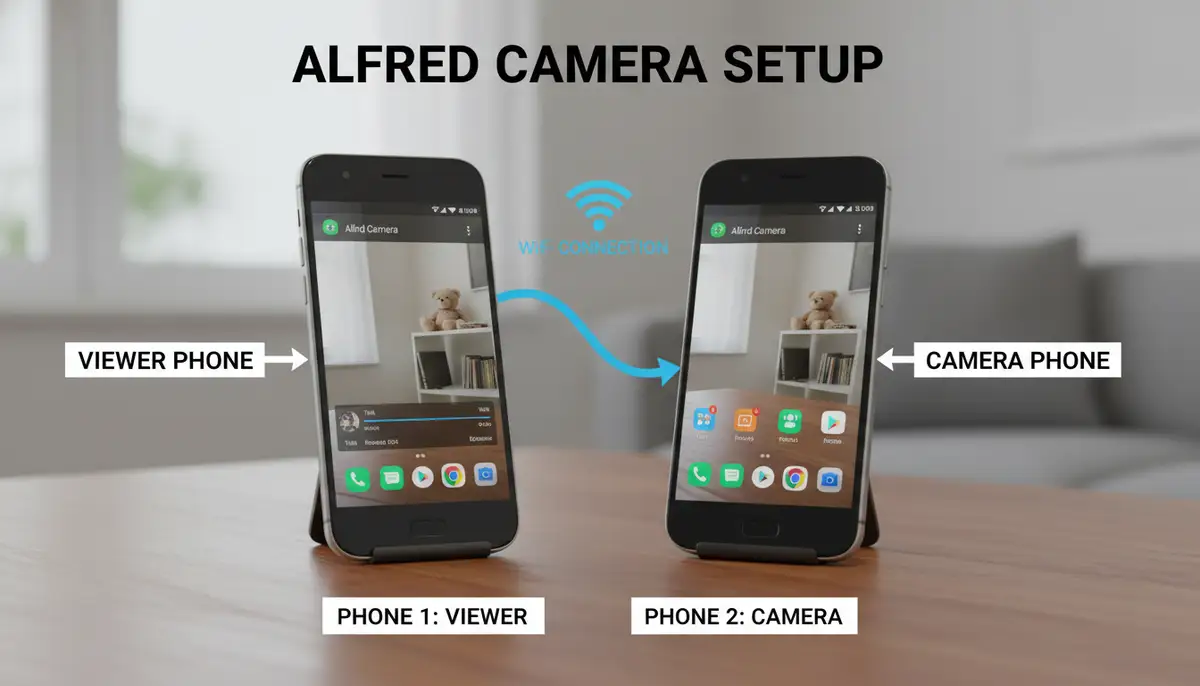
Alfred Camera is a top-rated mobile application. It turns your unused Android or iOS devices into home security cameras. You simply install the app on two devices. One acts as the ‘Camera’ and the other as the ‘Viewer’. This setup gives you a live feed of your home from anywhere. It’s incredibly user-friendly and packed with features usually found in costly dedicated systems. The popularity of Alfred Camera stems from its accessibility and cost-effectiveness. It offers peace of mind without breaking the bank. You don’t need to buy new hardware. Just use your old phone. This makes the Alfred Camera download for Android a very attractive option for many households.
Millions of families worldwide trust AlfredCamera. It consistently ranks as one of the most popular and highly-rated security camera apps. Its simplicity and robust features make it a favorite. You can easily monitor your home, pets, or even a sleeping baby. The app provides real-time alerts and clear video quality. This comprehensive solution truly empowers you to take control of your home security. Many users appreciate the ability to reuse old electronics. This reduces waste and saves money. It’s a win-win situation for your wallet and the environment.
Key Benefits of Using Alfred Camera on Android
- Cost-Effective: Reuse old phones instead of buying new cameras.
- Easy Setup: Download and configure in minutes, no complicated wiring.
- Remote Monitoring: View live feeds from anywhere with an internet connection.
- Motion Detection: Get instant alerts when activity is detected.
- Two-Way Talk: Communicate with people or pets on the camera end.
- Cloud Storage: Record and store video clips securely.
- Low Light Mode: See clearly even in dim conditions.
- Cross-Platform Compatibility: Monitor from Android, iOS, or web browser.
How to Get the Alfred Camera Download for Android: Step-by-Step Guide
Ready to secure your home? The process for Alfred Camera download for Android is straightforward. You will need two Android devices. One will be your ‘Camera’ and the other your ‘Viewer’. Make sure both devices have a stable internet connection. Wi-Fi is usually best for the camera device. Let’s walk through the steps.
Step 1: Prepare Your Devices
Before you begin the Alfred Camera download for Android, prepare your phones. For the ‘Camera’ device, ensure it’s charged or plugged into power. This prevents it from dying during surveillance. Clear some storage space if needed. Also, disable screen lock and set the screen timeout to ‘Never’ or a very long duration. This keeps the camera active. For your ‘Viewer’ device, simply ensure it’s your primary phone or tablet. It should have reliable internet access.
Step 2: Download the Alfred Camera App
This is the most crucial step. You need to download the Alfred Camera app on both your designated ‘Camera’ and ‘Viewer’ Android devices. You have a few reliable options for the Alfred Camera download for Android.
- Google Play Store: This is the official and most recommended source. Search for ‘Alfred Camera Home Security’ and install it. You can find the AlfredCamera Home Security app on Google Play directly.
- AlfredCamera Official Website: Visit the AlfredCamera website for direct links to the app stores and more information about the service.
- Third-Party App Stores: Reputable alternative stores like Uptodown also offer the app. You can find the latest version of AlfredCamera Home Security for Android there. Always ensure you download from trusted sources to avoid security risks.
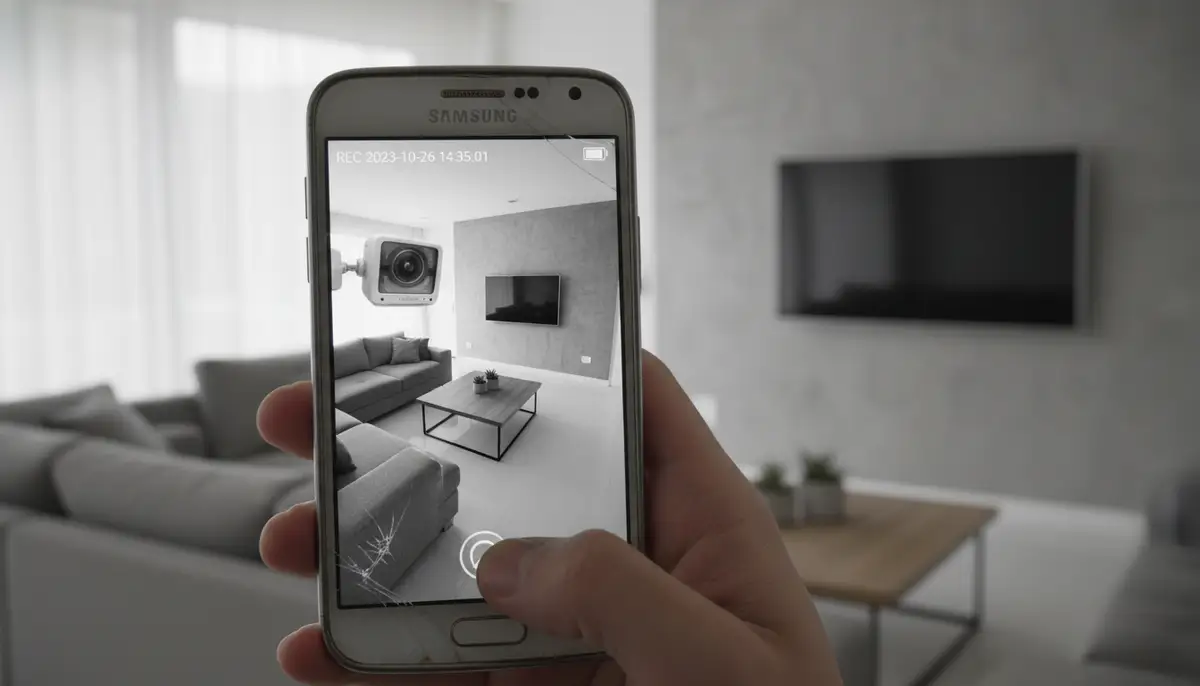
Install the app on both devices. The installation process is quick and easy. Just follow the on-screen prompts. Once installed, you are ready for the next step. Remember, securing your home starts with a simple Alfred Camera download for Android.
Step 3: Sign In and Configure Roles
After installation, open the Alfred Camera app on both devices. You will need to sign in with the same Google account on both phones. This links them together securely. The app will then ask you to select the role for each device: ‘Camera’ or ‘Viewer’. Choose ‘Camera’ for your old phone and ‘Viewer’ for your current phone. This sets up the connection. The app makes this process very intuitive. You will see clear instructions on the screen. The seamless setup is a major advantage of the Alfred Camera download for Android.
Optimizing Your Alfred Camera Setup
Once you complete the Alfred Camera download for Android and configure your devices, it’s time to optimize. Proper placement and settings can significantly improve performance. You want clear video and reliable alerts. Consider these tips for the best results.
Camera Placement and Power
Position your ‘Camera’ device in a strategic location. Think about entry points, valuable items, or areas where pets spend time. Ensure it has a clear line of sight. Avoid placing it directly facing bright windows, as this can cause glare. Always keep the ‘Camera’ device plugged into a power source. This ensures continuous operation. A long charging cable can be very useful for flexible placement. Make sure the Wi-Fi signal is strong in that location. A weak signal can lead to choppy video or connection drops.
Essential Alfred Camera Settings
The Alfred Camera app offers several settings to customize your experience. Dive into these options to tailor the system to your needs. This is where the power of your Alfred Camera download for Android truly shines.
- Motion Detection Sensitivity: Adjust how sensitive the camera is to movement. Higher sensitivity means more alerts, but possibly more false alarms.
- Motion Detection Schedule: Set specific times when motion detection should be active. This is great for when you’re away from home.
- Low-Light Filter: Enable this feature for clearer images in dark environments. It uses software to enhance visibility.
- Two-Way Talk: Test this feature to ensure clear audio transmission between devices.
- Camera Name: Give your camera a unique name (e.g., ‘Living Room Camera’, ‘Front Door’). This helps if you have multiple cameras.
- Video Quality: Adjust resolution to balance video clarity with data usage. Higher quality uses more bandwidth.
Regularly check these settings. You can fine-tune them as you learn what works best for your space. The flexibility of the Alfred Camera download for Android allows for a highly customized security solution.
Advanced Features and Tips for Power Users
Beyond the basic setup, Alfred Camera offers advanced functionalities. These can further enhance your home security. Exploring these features will help you maximize your Alfred Camera download for Android experience. Many users find these additions incredibly valuable.
Event Book and Cloud Storage
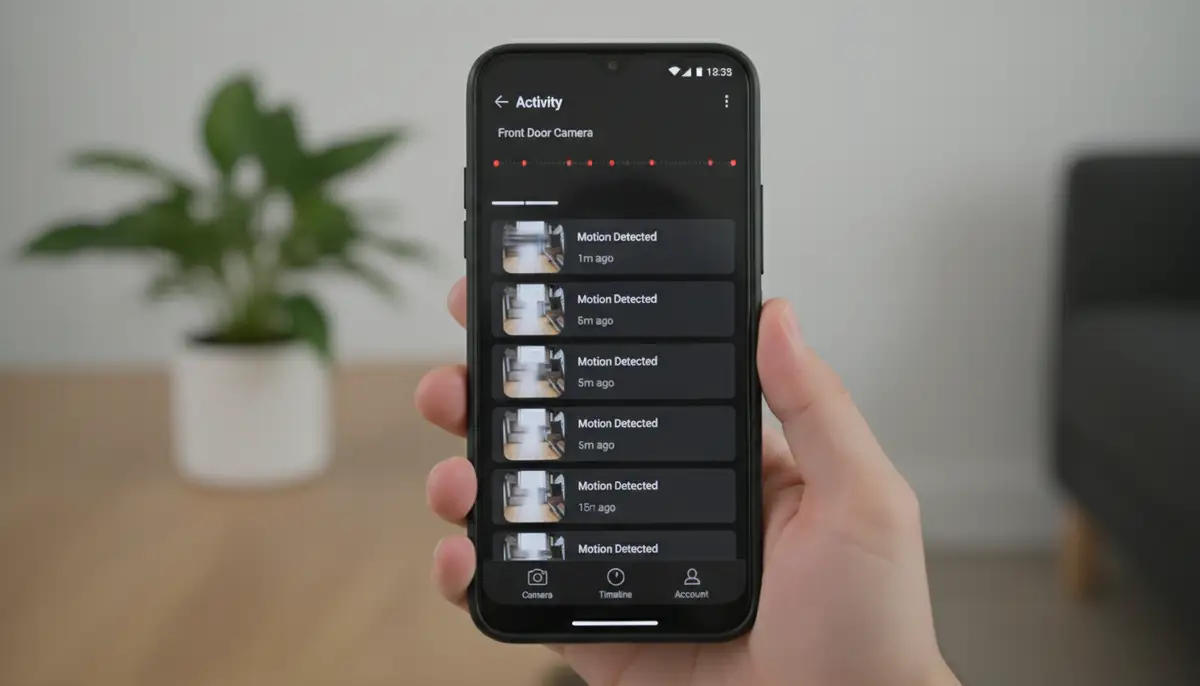
Every time motion is detected, Alfred Camera records a short video clip. These clips are stored in the ‘Event Book’. You can review them at any time from your ‘Viewer’ device. Alfred Camera also offers cloud storage for these events. This means your recordings are safe even if something happens to your camera device. This is a critical security feature. It ensures you always have evidence if an incident occurs. Consider upgrading to Alfred Premium for extended cloud storage and longer recording times. This offers even greater peace of mind.
Integrating with Smart Home Ecosystems
While Alfred Camera is a standalone solution, it can complement your existing smart home setup. For example, you might use smart lights that turn on when Alfred detects motion. This can deter intruders. Look for ways to automate routines that work with your security camera. Many smart home platforms allow for custom integrations. This creates a more robust and responsive security environment. The versatility of the Alfred Camera download for Android makes it a great addition to any smart home.
Troubleshooting Common Alfred Camera Issues
Even with the best technology, you might encounter minor issues. Knowing how to troubleshoot them quickly is important. Here are some common problems and their solutions for your Alfred Camera download for Android.
| Issue | Possible Cause | Solution |
|---|---|---|
| Offline Camera | No internet, low battery, app crashed | Check Wi-Fi connection, plug in camera, restart app/device. |
| No Motion Alerts | Incorrect sensitivity, disabled notifications | Adjust motion detection sensitivity, enable push notifications in app settings. |
| Poor Video Quality | Low light, weak Wi-Fi, old phone camera | Enable Low-Light Filter, improve Wi-Fi signal, clean camera lens, adjust video quality settings. |
| Two-Way Talk Issues | Microphone/speaker blocked, internet lag | Ensure mic/speaker are clear, check internet speed, restart app. |
| App Crashing | Outdated app, device overheating | Update Alfred Camera app, close background apps, ensure device is not too hot. |
Most issues are easily resolved. A quick check of your internet connection or a simple restart often fixes things. If problems persist, visit the Alfred Camera support page. They have extensive FAQs and a helpful community. Your successful Alfred Camera download for Android includes knowing how to keep it running smoothly.
Alfred Camera vs. Traditional Security Systems and Other Apps
When considering home security, you have many choices. Traditional systems offer professional installation and monitoring. However, they come with high costs and monthly fees. Alfred Camera provides a free, flexible alternative. It empowers you to be your own security guard. For many, the cost savings and ease of use make the Alfred Camera download for Android a clear winner. You get essential features without the financial burden.
Compared to other apps that leverage your phone’s camera, Alfred Camera stands out. While popular photo editing apps like camera360.com, zcamera.me, or snapseed.online focus on enhancing images, Alfred Camera’s sole purpose is surveillance. It’s built specifically for security. This specialized focus means it offers robust features like motion detection, two-way talk, and cloud storage, which are absent in general camera apps. Its dedicated design makes it far more effective for home monitoring. This is where the Alfred Camera download for Android truly excels.
Furthermore, if you’re interested in maximizing your device’s camera capabilities beyond security, exploring a comprehensive guide to 4 photo apps you need in 2025 could provide additional insights. However, for dedicated security, Alfred Camera remains a top choice.
Beyond Security: Other Uses for Your Alfred Camera Download for Android
The utility of Alfred Camera extends beyond just home security. Your Alfred Camera download for Android can serve many purposes. Think about how you can adapt it to various situations in your life. Its versatility is one of its greatest strengths.
Baby Monitor and Pet Cam
Parents often use Alfred Camera as a reliable baby monitor. You can keep an eye on your little one from another room. The two-way talk feature allows you to soothe them with your voice. Similarly, it makes an excellent pet cam. Check in on your furry friends while you’re at work. See what mischief they are getting into. You can even talk to them to calm them down. It’s a fantastic way to stay connected with your family members, both human and animal.
Elderly Care Monitoring
For families with elderly relatives living alone, Alfred Camera offers a discreet monitoring solution. You can ensure their safety and well-being. Motion alerts can notify you if there’s unusual inactivity or activity. This provides reassurance without being intrusive. It’s a thoughtful way to provide care from a distance. The simple Alfred Camera download for Android can make a big difference in someone’s life.
Monitoring Your Belongings While Traveling
Are you staying in a hotel or an Airbnb? You can quickly set up an Alfred Camera to watch your luggage or valuables. It offers an extra layer of security when you’re away from home. Simply use a spare phone and connect to the local Wi-Fi. This temporary setup can provide significant peace of mind. It’s a smart travel hack made possible by the easy Alfred Camera download for Android.
Small Business Surveillance
Small business owners can also benefit. Use Alfred Camera to monitor a storefront after hours. You can watch a back office or a storage room. It’s an affordable surveillance option for businesses on a budget. The flexibility of using existing devices is a huge advantage. This makes the Alfred Camera download for Android a versatile tool for various security needs. If you’re looking to enhance overall business operations, understanding tools like the AAInflight app can also be beneficial for travel and logistics.
The Future of Mobile Security and Alfred Camera
As technology advances, so do our security needs. Mobile-based solutions like Alfred Camera are at the forefront of this evolution. We expect to see even more sophisticated AI-powered features in the future. These might include advanced object recognition or predictive analytics. The ability to leverage existing hardware, like your old Android phone, will remain a key advantage. The demand for accessible and affordable security will only grow. Alfred Camera is well-positioned to meet these future challenges. The continuous development of the Alfred Camera download for Android ensures it stays relevant and powerful.
Our business, Camera ZOOM FX, also focuses on leveraging Android camera technology. We provide professional controls and stunning filters for high-quality results. While our focus is on photography, the underlying principle of maximizing mobile camera capabilities is shared. We believe in the power of your Android device. It can do so much more than just make calls. The innovation in camera apps, whether for photography or security, is truly exciting. The Alfred Camera download for Android exemplifies this innovation perfectly.
For a deeper dive into how Alfred Camera works and its various features, you might find this video helpful:
. It provides a visual walkthrough of the app’s capabilities and setup process.
Conclusion: Empower Your Home Security with Alfred Camera for Android
You now have all the information you need to get started. The Alfred Camera download for Android is a game-changer for home security in 2025. It offers a powerful, flexible, and free way to monitor your home. You can reuse old devices, save money, and gain invaluable peace of mind. From simple motion detection to two-way talk, Alfred Camera provides robust features. It truly transforms your old phone into a vigilant guardian. Don’t let your unused Android devices gather dust. Give them a new purpose. Take control of your home security today with the Alfred Camera download for Android.
Start monitoring your home with confidence. The process is simple, and the benefits are immense. Embrace smart, affordable security. If you are also interested in enhancing your photography skills with advanced camera controls, explore our stable shot camera solutions to capture perfect moments.