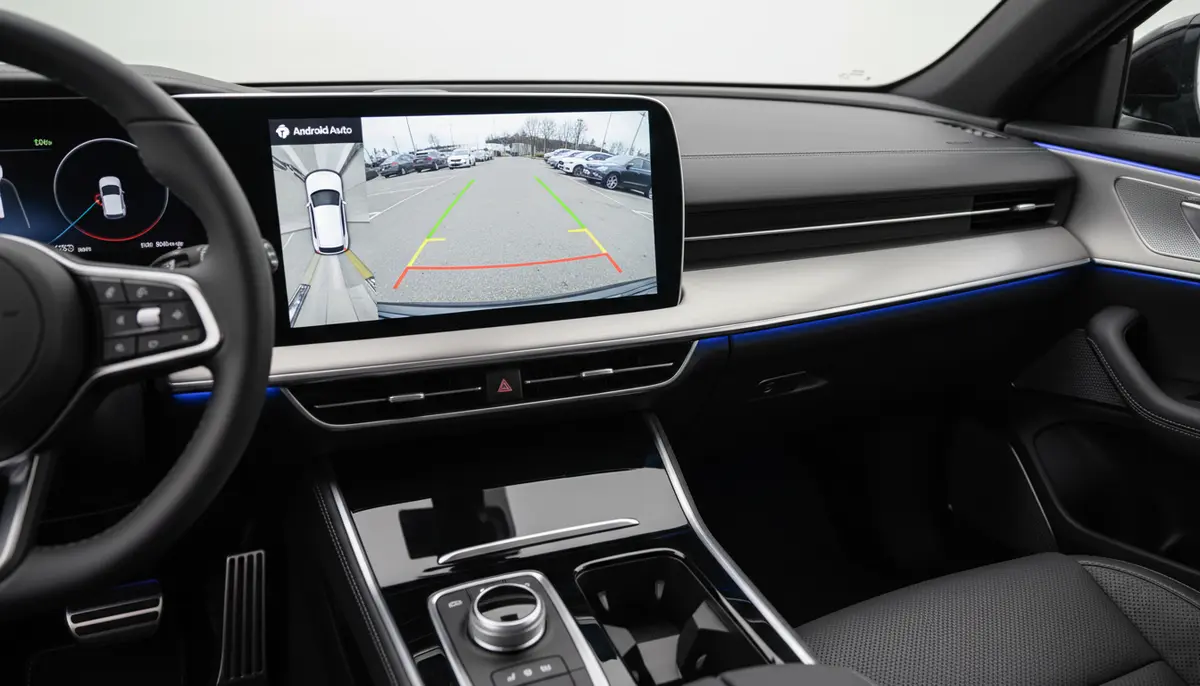
Introduction: Elevate Your Driving Experience with Android Auto and Reverse Camera
Driving in 2025 demands more than just getting from point A to point B. It requires seamless connectivity, enhanced safety, and intuitive control. This is where the powerful combination of Android Auto with reverse camera integration truly shines. Imagine effortlessly navigating through traffic while also having a crystal-clear view of what’s behind you when parking or reversing.
This guide will walk you through everything you need to know about setting up and maximizing your Android Auto with reverse camera system. We will cover choosing the right equipment, installation tips, troubleshooting common issues, and exploring advanced features. Get ready to transform your daily commute and parking challenges into a smooth, stress-free experience.
What is Android Auto and Why is it Essential?
Android Auto is Google’s intelligent platform designed for your car’s infotainment system. It extends the Android experience to your vehicle’s display, allowing you to access essential apps safely while driving. You can use navigation, play music, make calls, and send messages with voice commands or simple taps.
Its primary goal is to minimize distractions and keep your focus on the road. By integrating your smartphone’s functionalities into a car-friendly interface, Android Auto makes every drive smarter and safer. It’s a fundamental upgrade for any modern vehicle owner.
The Indispensable Role of a Reverse Camera in Modern Driving
Reverse cameras, also known as backup cameras, have become a standard safety feature in new cars. They provide a live video feed of the area directly behind your vehicle. This helps eliminate blind spots and makes reversing much safer for drivers, pedestrians, and property.
Beyond safety, a reverse camera offers immense convenience. Parking in tight spaces, backing out of driveways, or maneuvering in crowded lots becomes significantly easier. It reduces stress and the risk of accidental bumps or scrapes.
Seamless Integration: Android Auto with Reverse Camera
Combining Android Auto with reverse camera functionality brings the best of both worlds. When you shift your car into reverse, the Android Auto display automatically switches to the camera feed. This means no fumbling with buttons or separate screens.
The integration is designed for instant activation, providing immediate visual feedback. This seamless transition is crucial for quick reactions and safe maneuvering. It truly elevates the utility of your car’s infotainment system.
Benefits of Having Android Auto with Reverse Camera
- Enhanced Safety: Significantly reduces blind spots, preventing accidents with pedestrians, children, or objects behind your car.
- Effortless Parking: Guides you into tight spots with precision, often with dynamic parking lines.
- Reduced Stress: Takes the guesswork out of reversing, making it a more confident and relaxed experience.
- Damage Prevention: Minimizes the risk of costly bumps, scrapes, and fender benders.
- Convenience: Automatic display switching means no manual input is needed when you shift into reverse.
- Modern Aesthetics: Integrates cleanly into your car’s existing display, avoiding clutter from separate monitors.
These benefits make the investment in Android Auto with reverse camera a worthwhile upgrade for any driver. It’s not just about luxury; it’s about practical, everyday safety and convenience.
Choosing Your Setup: Head Units and Cameras
To get Android Auto with reverse camera, you essentially need two main components: an Android Auto compatible head unit and a reverse camera. Your choice depends on your car’s existing setup and your budget.
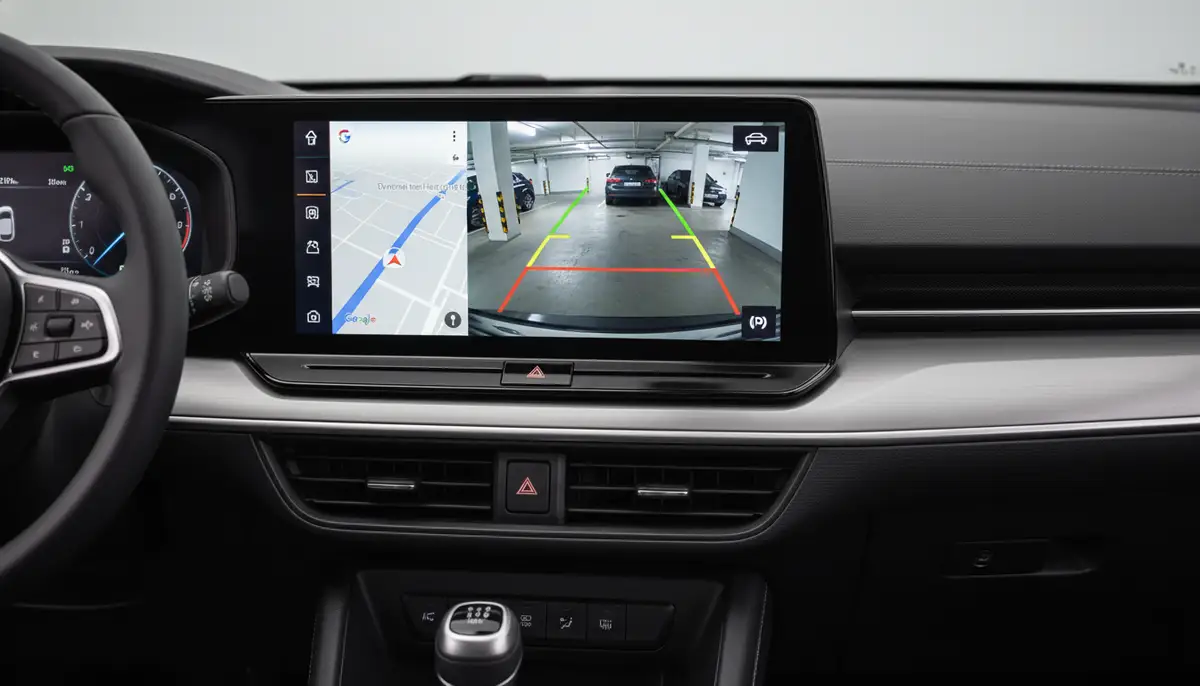
Android Auto Head Units: OEM vs. Aftermarket
Many newer vehicles come with Android Auto built into their factory infotainment systems (OEM). If your car already has this, you might just need to add a compatible reverse camera. However, if your car is older or lacks Android Auto, an aftermarket head unit is your best bet.
Aftermarket head units offer a wide range of features and price points. They can often provide superior sound quality, larger screens, and more customization options than factory units. When shopping, ensure the unit explicitly states compatibility with Android Auto and has a dedicated input for a reverse camera.
You can find a wide selection of devices, including portable car play screens that support Android Auto and backup cameras, on marketplaces like Amazon’s electronics section for Android Auto backup cameras. These options provide flexibility for various car models and budgets.
Types of Reverse Cameras for Android Auto
Reverse cameras come in various forms, each with its own advantages. Understanding these types will help you make an informed decision for your Android Auto with reverse camera setup.
- Wired Cameras: Offer the most reliable connection and typically superior image quality. They require running cables from the camera to the head unit.
- Wireless Cameras: Easier to install as they don’t require extensive wiring through the car. They transmit video signals via Wi-Fi or Bluetooth. Quality can vary based on signal strength.
- License Plate Cameras: Designed to mount directly on your license plate frame, making them discreet and easy to install.
- Flush Mount Cameras: Installed by drilling a small hole into your bumper for a clean, integrated look.
- Tailgate Handle Cameras: Common for trucks and SUVs, these replace the existing tailgate handle with one that has a built-in camera.
Look for cameras with a wide viewing angle (150-170 degrees is ideal) and good low-light performance. Waterproofing (IP67 or IP68 rating) is also crucial for durability. For example, you can find a portable, waterproof reversing camera with a wide-angle lens that offers a wider field of view and enhanced safety.
Key Features to Look for in Your Android Auto with Reverse Camera Setup
When selecting components for your Android Auto with reverse camera system, consider these features:
- High-Resolution Display: A crisp screen on your head unit makes the camera feed clearer.
- AHD (Analog High Definition) Camera: Offers better resolution than traditional analog cameras.
- Dynamic Parking Guidelines: Lines that move with your steering wheel, guiding you into parking spots.
- Low-Light Performance/Night Vision: Essential for visibility in dark conditions.
- Waterproof Rating: Ensures durability against rain, snow, and car washes.
- Wide Viewing Angle: Provides a broader perspective of the area behind your car.
- Fast Boot-up Time: The camera feed should appear almost instantly when shifting into reverse.
A high-quality reverse camera is just as important as the head unit itself. This ensures you get the full safety and convenience benefits of Android Auto with reverse camera.
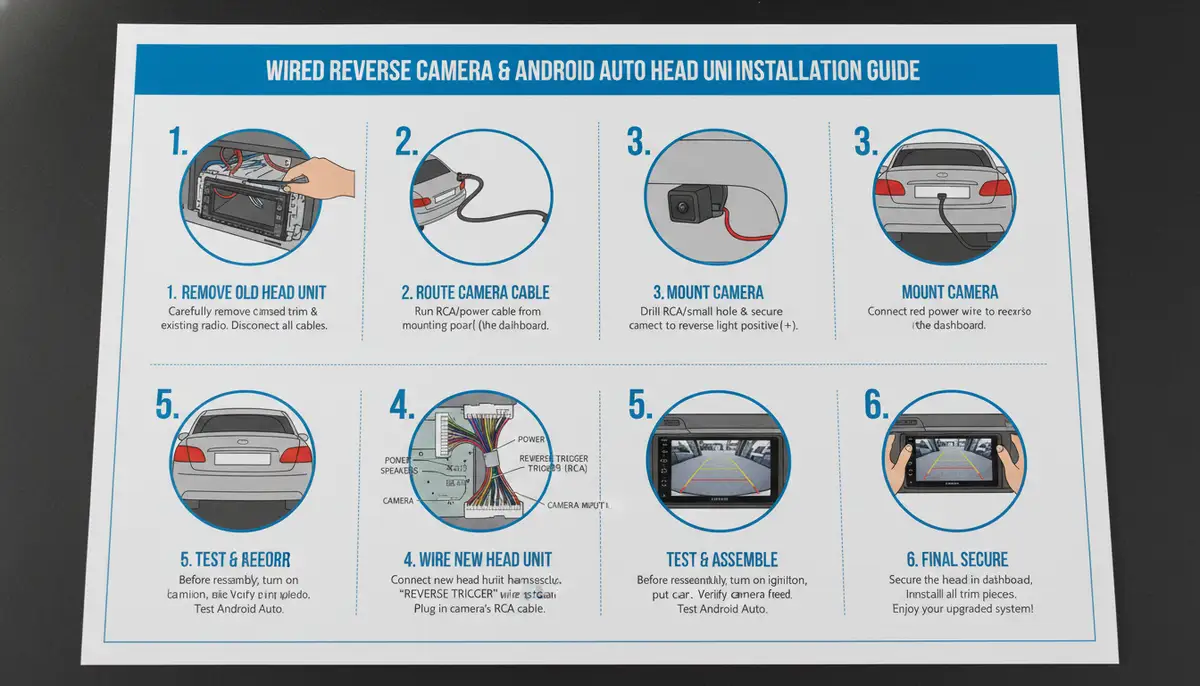
Installation Guide: Setting Up Your Android Auto with Reverse Camera
Installing an Android Auto with reverse camera system can be a DIY project for the mechanically inclined. However, professional installation is always an option if you prefer peace of mind.
DIY Installation Steps (General Overview)
- Prepare Your Tools: You’ll need screwdrivers, wire strippers, electrical tape, zip ties, and potentially a trim removal tool.
- Disconnect Battery: Always disconnect your car’s negative battery terminal before starting any electrical work.
- Remove Old Head Unit: Carefully remove the trim pieces and screws securing your existing radio.
- Install New Head Unit: Connect the wiring harness, antenna, and USB cables. Make sure to connect the reverse camera input cable.
- Mount the Camera: Choose a discreet location, usually near the license plate. Secure it firmly.
- Run Camera Wiring: If wired, carefully route the camera cable through the car’s interior to the head unit. Connect the camera’s power to your car’s reverse light circuit.
- Test the System: Reconnect the battery and test the Android Auto and reverse camera functionality. Ensure the camera activates when in reverse.
- Reassemble: Put all trim pieces back in place.
Remember, specific steps can vary greatly depending on your car model and the chosen components. Always refer to your head unit and camera manuals. For more general advice on camera access on Android devices, you might find our guide on how to allow camera access on Android helpful for related troubleshooting.
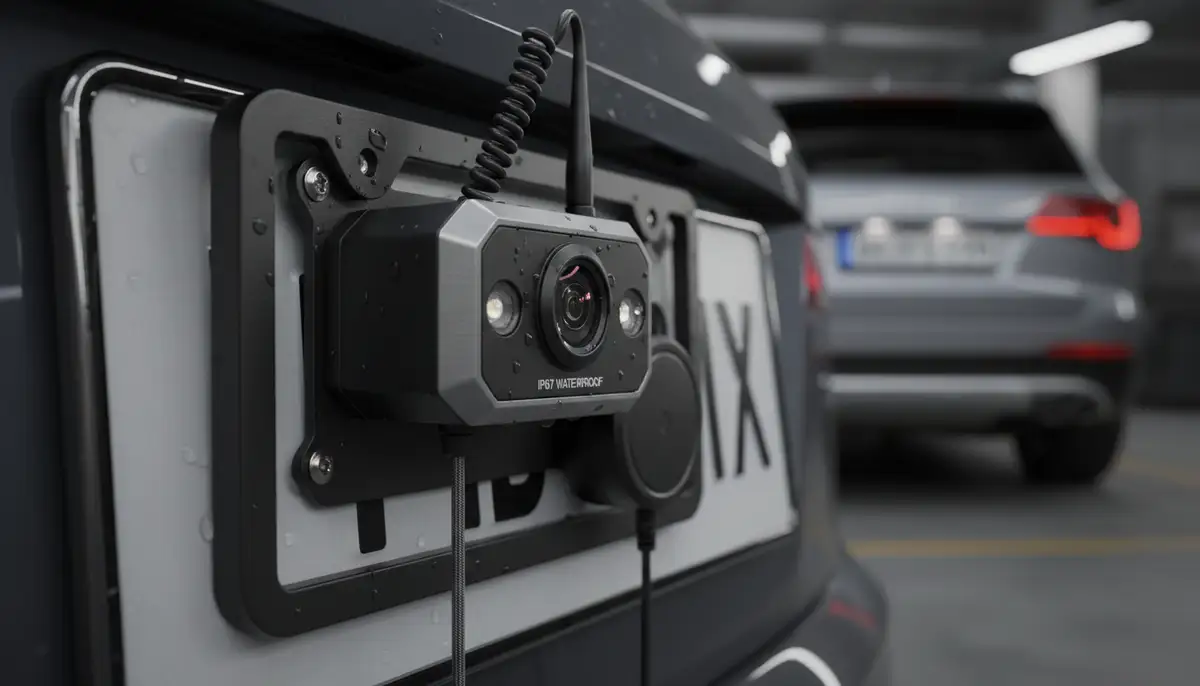
Professional Installation: When to Call the Experts
If you’re uncomfortable with car electrical systems or disassembling your dashboard, professional installation is highly recommended. Car audio shops specialize in these types of upgrades. They ensure correct wiring, proper camera placement, and a clean, factory-like finish.
While it costs more, professional installation guarantees that your Android Auto with reverse camera system functions flawlessly. It also prevents potential damage to your vehicle’s electronics or interior.
Troubleshooting Common Issues with Android Auto with Reverse Camera
Even with the best setup, you might encounter minor hiccups. Here are some common issues and how to resolve them for your Android Auto with reverse camera.
No Camera Feed or Black Screen
- Check Wiring: Ensure all video cables are securely connected to both the camera and the head unit. Verify the camera’s power and ground connections.
- Reverse Trigger Wire: Confirm the reverse trigger wire on the head unit is correctly connected to your car’s reverse light circuit. This tells the head unit to switch to the camera feed.
- Camera Power: Test if the camera is receiving power. A multimeter can help here.
- Head Unit Settings: Some head units require you to enable the reverse camera input in their settings menu.
Flickering or Distorted Image
- Interference: Check for electromagnetic interference from other car electronics. Rerouting cables or using shielded cables can help.
- Loose Connections: Re-seat all video connections. A loose connection can cause signal degradation.
- Power Fluctuation: Ensure the camera is receiving stable power. A faulty ground connection can cause issues.
Camera Not Activating Automatically
This usually points to an issue with the reverse trigger wire. Double-check its connection to the reverse light circuit. The head unit needs this signal to know when to switch to the camera. Sometimes, a software update for your Android Auto head unit might resolve this.
Poor Image Quality
- Clean Lens: A dirty camera lens is a common culprit. Clean it gently with a soft cloth.
- Resolution Settings: If your head unit allows, ensure the camera input is set to its highest supported resolution.
- Camera Quality: If the camera itself is low quality, upgrading to a better AHD or higher-resolution model will be necessary.
Advanced Features and Future Trends for Android Auto with Reverse Camera
The world of automotive technology is constantly evolving. Future Android Auto with reverse camera systems will likely offer even more sophisticated features.
360-Degree Surround View
Some high-end systems already offer a 360-degree bird’s-eye view, stitching together feeds from multiple cameras. This provides a complete picture of your car’s surroundings, making parking incredibly easy. Expect this to become more common and integrated with Android Auto.
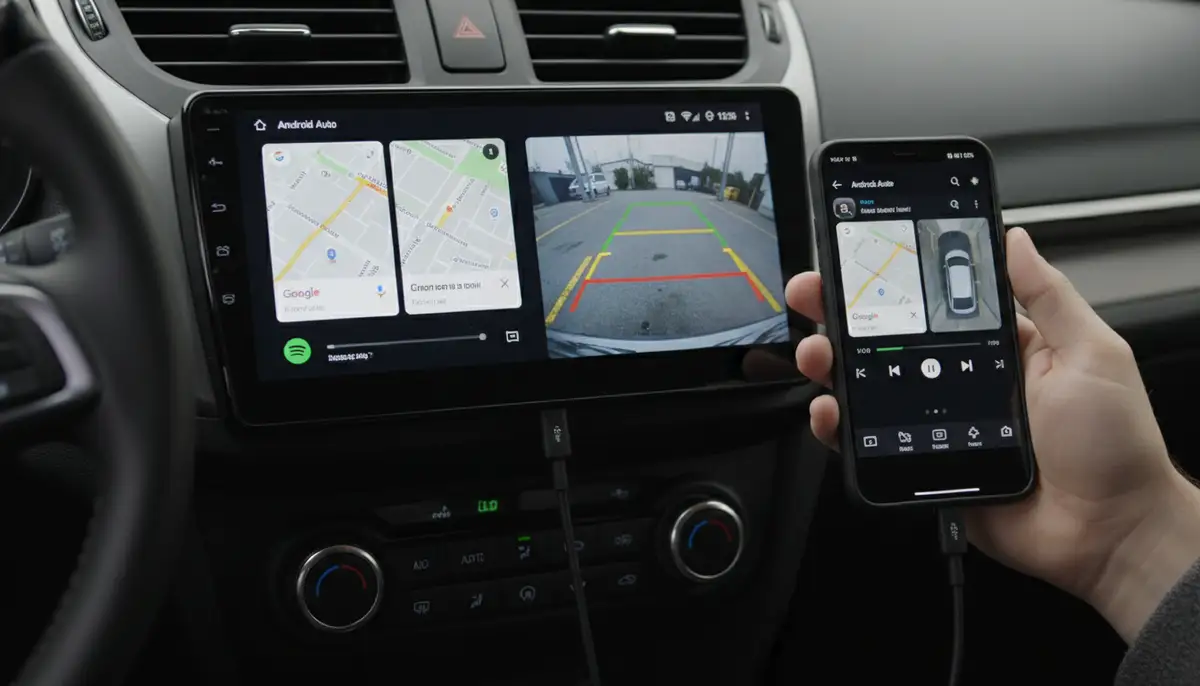
AI-Powered Obstacle Detection
Artificial intelligence could enhance reverse cameras by identifying specific obstacles like pedestrians, bicycles, or even small animals. It could provide more intelligent warnings beyond simple proximity alerts. This will make Android Auto with reverse camera even smarter.
Wireless Android Auto and Camera Integration
While many systems still rely on wired connections for optimal performance, wireless Android Auto is becoming standard. We’ll see more robust wireless reverse cameras that seamlessly integrate with these wireless head units, reducing cable clutter. For a glimpse into these advanced integrations, check out this video:
. It showcases how modern screens combine wireless Apple CarPlay and Android Auto with clear reverse camera feeds.
Companies like Greenyi Direct are already offering solutions like a 10.36-inch DVR touchscreen with AHD 1080P reverse camera that supports wireless Apple CarPlay and Android Auto. This shows the direction the market is heading.
Comparing Camera Solutions: Beyond Basic Functionality
When we think about camera technology, whether it’s for your car or your smartphone, quality and features vary greatly. Just as you might look for an android better camera app to enhance your phone photography, the right reverse camera makes a huge difference in your car.
In the broader camera industry, companies like PicsArt, Camera360, and Z Camera offer a wide array of features for mobile photography. While these are distinct from automotive cameras, they highlight the consumer demand for advanced imaging capabilities. For your car, this translates to seeking out cameras with superior sensors, processing, and robust build quality.
Our own Camera ZOOM FX app focuses on professional controls and stunning filters for high-quality mobile results. This commitment to image excellence is what you should also seek when evaluating a reverse camera for your Android Auto setup. A stable, clear image is paramount for safety.
Maximizing Your Android Auto with Reverse Camera Experience
Once your Android Auto with reverse camera system is installed, take some time to familiarize yourself with it. Practice parking in different scenarios. Understand the parking guidelines and how they assist you.
Regularly clean your camera lens to ensure a clear view. Just like maintaining a good stable shot camera for photography, a clean lens is vital for optimal performance. Dirt, dust, or water spots can significantly reduce visibility.
Keep an eye on software updates for your Android Auto head unit. Updates often bring new features, performance improvements, and bug fixes. These can enhance the overall functionality of your Android Auto with reverse camera system.
| Feature | Benefit for Android Auto with Reverse Camera | Recommendation |
|---|---|---|
| Wide Viewing Angle | Minimizes blind spots, shows more of the area behind. | 150-170 degrees |
| AHD (Analog High Definition) | Clearer, sharper image on your Android Auto screen. | Highly Recommended |
| Dynamic Parking Lines | Guides your steering for perfect parking maneuvers. | Essential for ease of use |
| IP68 Waterproof Rating | Ensures camera durability in all weather conditions. | Must-have for longevity |
| Low-Light Performance | Clear visibility during night parking or in dark garages. | Important for safety |
Conclusion: Drive Smarter and Safer with Android Auto and Reverse Camera
Integrating an Android Auto with reverse camera system is one of the most impactful upgrades you can make to your vehicle in 2025. It combines the convenience and connectivity of Android Auto with the critical safety features of a reverse camera. This powerful duo transforms your driving experience.
From navigating busy city streets to parking in tight spots, you gain confidence and control. You protect yourself, your passengers, and those around your vehicle. The seamless operation and clear visuals provided by Android Auto with reverse camera make every journey a little bit easier and a lot safer.
Don’t wait to upgrade your ride. Embrace the future of automotive technology and enjoy the peace of mind that comes with a fully integrated Android Auto with reverse camera setup. Drive smarter, drive safer, starting today.